Guide
Design risk register guide
What a design risk register is, whether CDM 2015 requires one and how to use it well.

Free CDM template
Download a free, editable Excel template for recording significant design risks, design responses, actions and residual information under CDM 2015.
Editable .xlsx, Worked examples included, No sign-up required
Read the Design Risk Register guide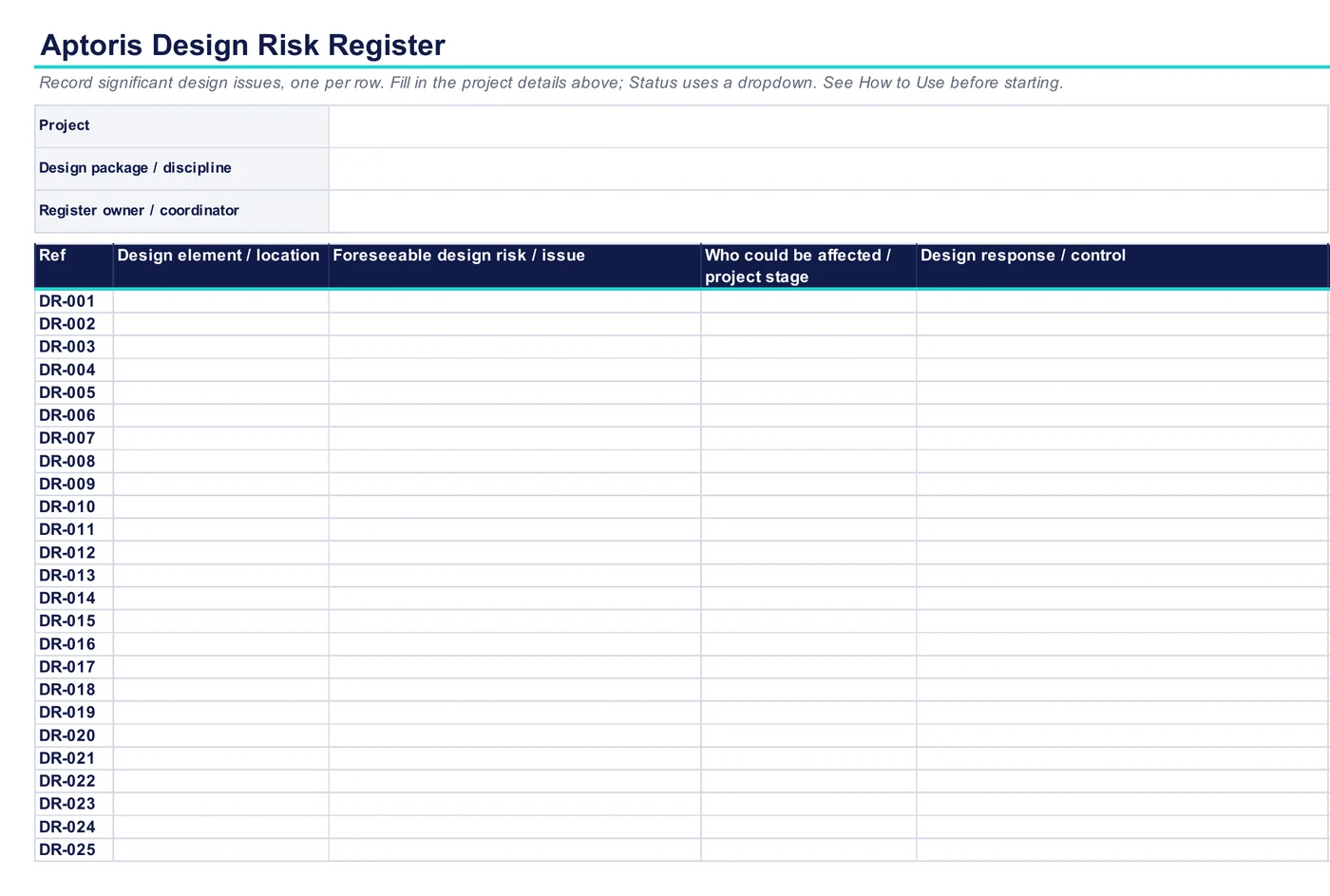
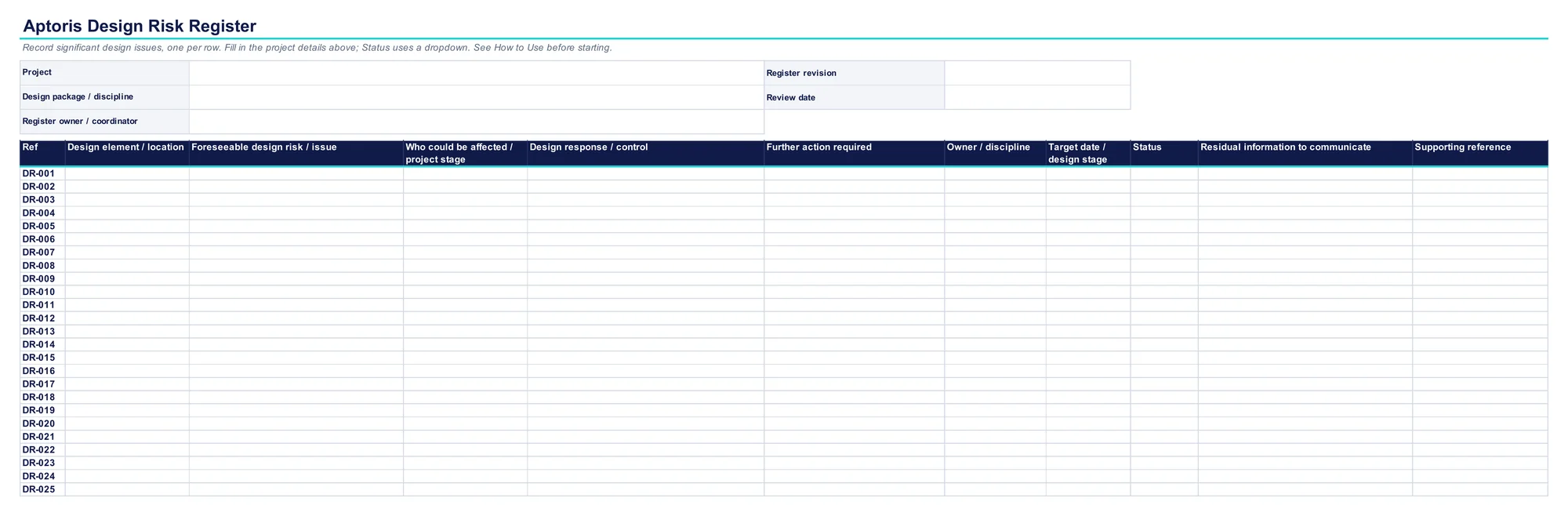
One row per significant design issue: what it is, who it affects, what the design does about it, who owns the next action and what needs to be communicated.
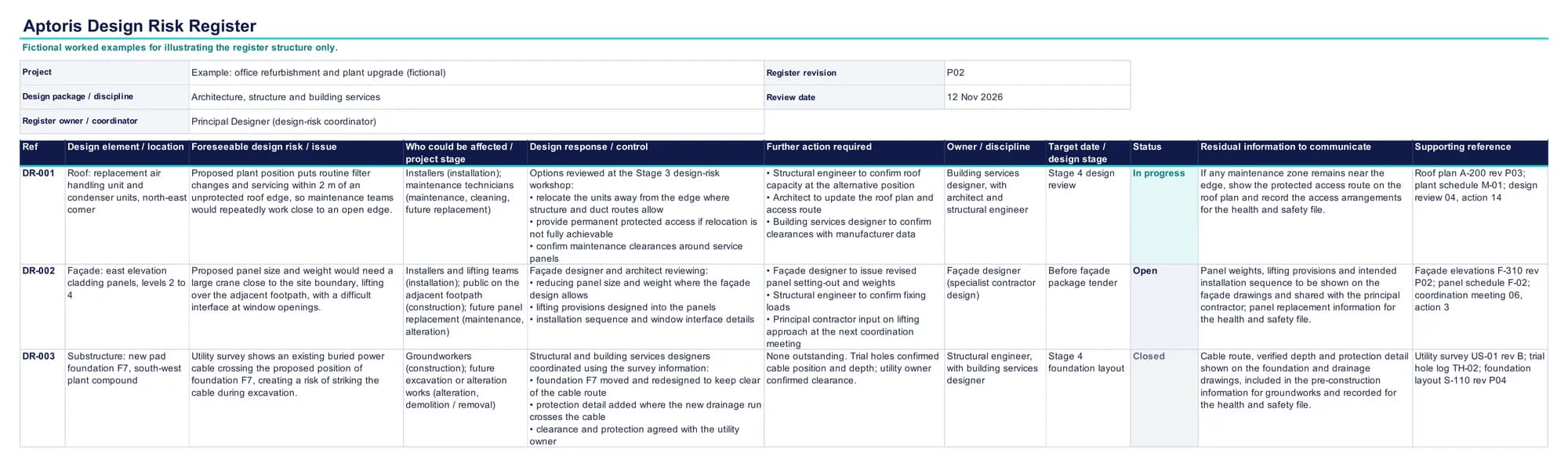
These are Excel’s own renders of the three sheets in the workbook. The register is an Excel table with filters and a Status dropdown, ready to fill in.
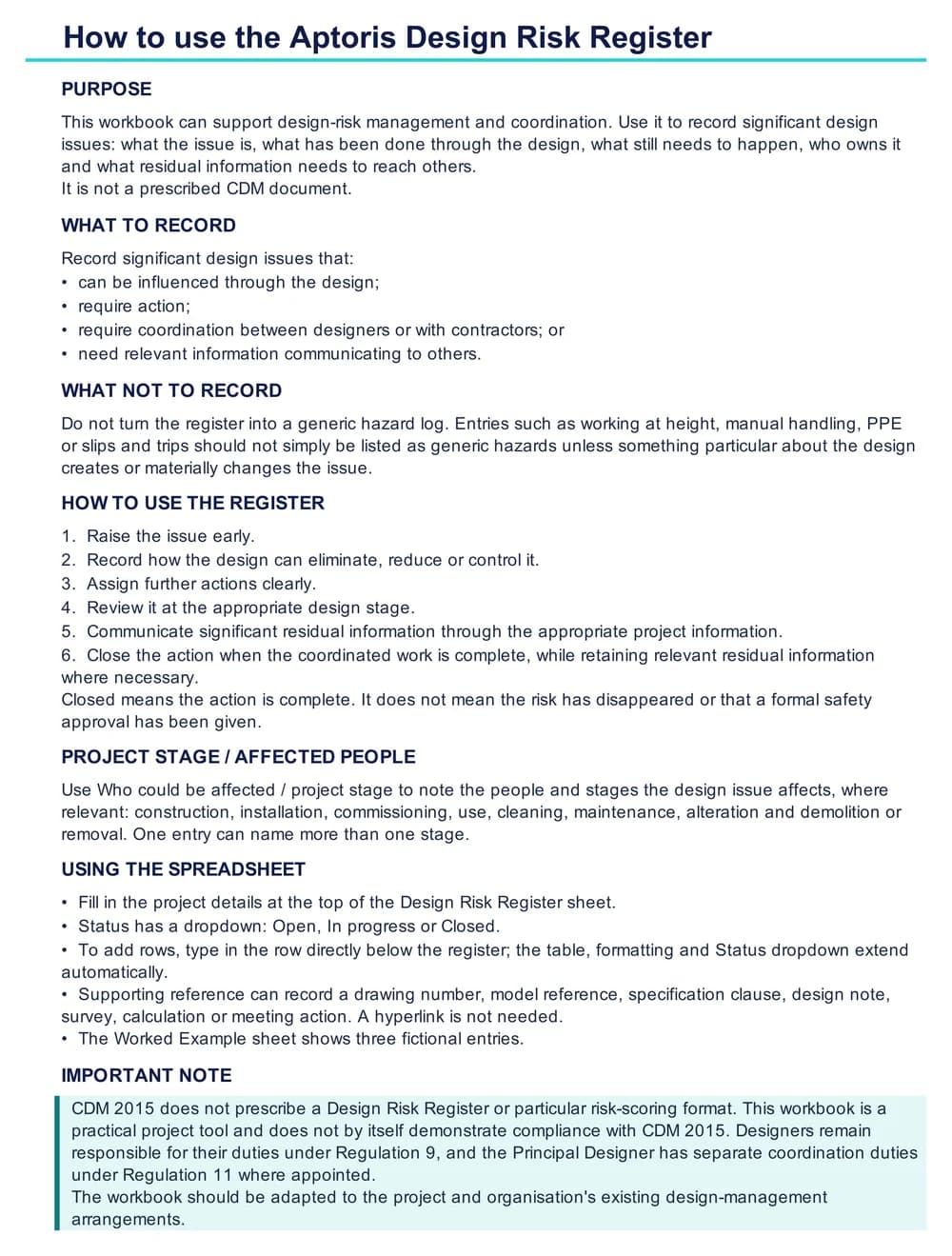
The How to Use sheet covers:
CDM 2015 does not prescribe a numerical risk matrix. The Aptoris template therefore focuses on the design issue, the design response, ownership, action and communication rather than forcing every entry through a likelihood × severity score.
If your organisation uses its own risk-scoring system, the workbook can be adapted.
Designers, Principal Designers and project teams using a shared register to coordinate significant design issues during the pre-construction phase.
Record a foreseeable issue early enough for the design to influence it.
Capture what has been eliminated, reduced or controlled through design and any further action required.
Give actions a clear owner and review them at the relevant design stage.
Record significant residual information that needs to be passed through the appropriate project information.
The workbook includes three fictional examples showing how to record the design issue, response, action, ownership and residual information.
DR-001
Maintenance access close to an open roof edge.
DR-002
Panel size and weight creating lifting and installation constraints.
DR-003
A buried cable crossing the position of a proposed foundation.
Yes. It is free to download, with no sign-up and no email address needed. Select Download the free Excel template and the file downloads straight away.
Yes. It is an editable Excel workbook (.xlsx) with no macros, formulas or external links. The register is an Excel table, so filters work, and typing in the row below it adds a row with the same formatting and Status dropdown. Other spreadsheet software that opens .xlsx files should work, although formatting may vary.
No. CDM 2015 does not prescribe a design risk register or any particular format. A register can be a useful tool for managing and coordinating design risk, but the duties sit with designers and the Principal Designer, not with a document. See is a design risk register required?
No. CDM 2015 does not prescribe a risk-scoring matrix, so the template records the design issue, the design response, ownership and communication instead. See should design risks be scored?
There is no statutory rule about who owns it. The Principal Designer may coordinate a shared register, while each designer records and acts on issues arising from their own design. Whatever the approach, make responsibilities and actions clear. See who should own the register?
No. Each designer keeps their own Regulation 9 duties for the risks arising from their design. The Principal Designer has separate duties under Regulation 11 to plan, manage, monitor and coordinate the pre-construction phase. Using a shared register does not move design responsibility to the Principal Designer. See the Principal Designer’s role.
Significant design issues that the design can influence, that need action or coordination, or where relevant information needs to reach others. See what risks should go on the register?
Generally not. Entries such as working at height, manual handling or PPE are rarely useful on their own. Record them only where something particular about the design creates or materially changes the issue. See what should not go on the register?
Closed means the action is complete and no further coordinated action is needed. It does not mean the risk has disappeared or that a formal safety approval has been given, so keep relevant residual information on the entry. See when should an entry be closed?
Not automatically. Relevant residual information from the register should be transferred into the health and safety file where appropriate, rather than inserting the whole register. See the register and the health and safety file.
Yes. The workbook is fully editable, so you can add your own scoring columns if they are part of your existing design-management arrangements. CDM 2015 does not require one.
Guidance on design-risk duties and the information the register feeds.
What a design risk register is, whether CDM 2015 requires one and how to use it well.
What every designer must do under Regulation 9 to eliminate, reduce or control foreseeable risks.
How the Principal Designer plans, manages, monitors and coordinates the pre-construction phase.
An editable Word template for the project information the client provides to designers and contractors.
What the file should contain, who prepares it and how residual design information reaches it.
A one-page Word template for recording a written Principal Designer appointment under CDM 2015.
Editable .xlsx, Worked examples included, No sign-up required